
Finally the iOS7 has been UNTETHERED JAILBroken, this means you can reboot your phone just like you normally would. And this allows you to expend your app market using Cydia, below are the steps and tutorial to jailbreak various devices using evasi0n 7.
iPhone 3GS | 7.0 through 7.0.4
iPhone 4 | 7.0 through 7.0.4
iPhone 4S | 7.0 through 7.0.4
iPhone 5 | 7.0 through 7.0.4
iPhone 5S | 7.0 through 7.0.4
iPhone 5C | 7.0 through 7.0.4
iPod touch 5G | 7.0 through 7.0.4
iPad 2 | 7.0 through 7.0.4
The New iPad (third generation) | 7.0 through 7.0.4
iPad With Retina Display (fourth generation) | 7.0 through 7.0.4
iPad Mini | 7.0 through 7.0.4
iPad Mini with Retina Display | 7.0 through 7.0.4
iPad Air | 7.0 through 7.0.4
iPhone 4 | 7.0 through 7.0.4
iPhone 4S | 7.0 through 7.0.4
iPhone 5 | 7.0 through 7.0.4
iPhone 5S | 7.0 through 7.0.4
iPhone 5C | 7.0 through 7.0.4
iPod touch 5G | 7.0 through 7.0.4
iPad 2 | 7.0 through 7.0.4
The New iPad (third generation) | 7.0 through 7.0.4
iPad With Retina Display (fourth generation) | 7.0 through 7.0.4
iPad Mini | 7.0 through 7.0.4
iPad Mini with Retina Display | 7.0 through 7.0.4
iPad Air | 7.0 through 7.0.4
We recommend you make back up your data via iTunes and restore to 7.0.4. before running the evasi0n 7 jailbreak. Note: If you havent updated your phone to iOS 7.0.4,m we recommend you update your phone to iOS 7.0.4 BEFORE jailbreaking.

Let’s get started: First you’ll need to do is download the version of evasi0n 7 for your operating system. You can do so on evasi0n.com. or you can download the files from TechAndAll mirror at Mega.co.nz
1. Download the evasi0n 7 and unzip it


2.You will see the evasi0n home screen, and evasi0n should tell you your device (and firmware version) is detected. Click the Jailbreak button to begin.
 3. evasi0n will then go through many status messages while it jailbreaks your device. This process also can take a few minutes. Do not touch or unplug the device during this process.
4. At the end of this process, evasi0n will let you know there is now a new evasi0n 7 icon on your iDevice, and to unlock your device and tap the icon. ONLY TAP THE ICON ONCE, LEAVING YOUR DEVICE CONNECTED. It will restart.
4.1 Here is the screen shot of evasi0n7 on your iDevice
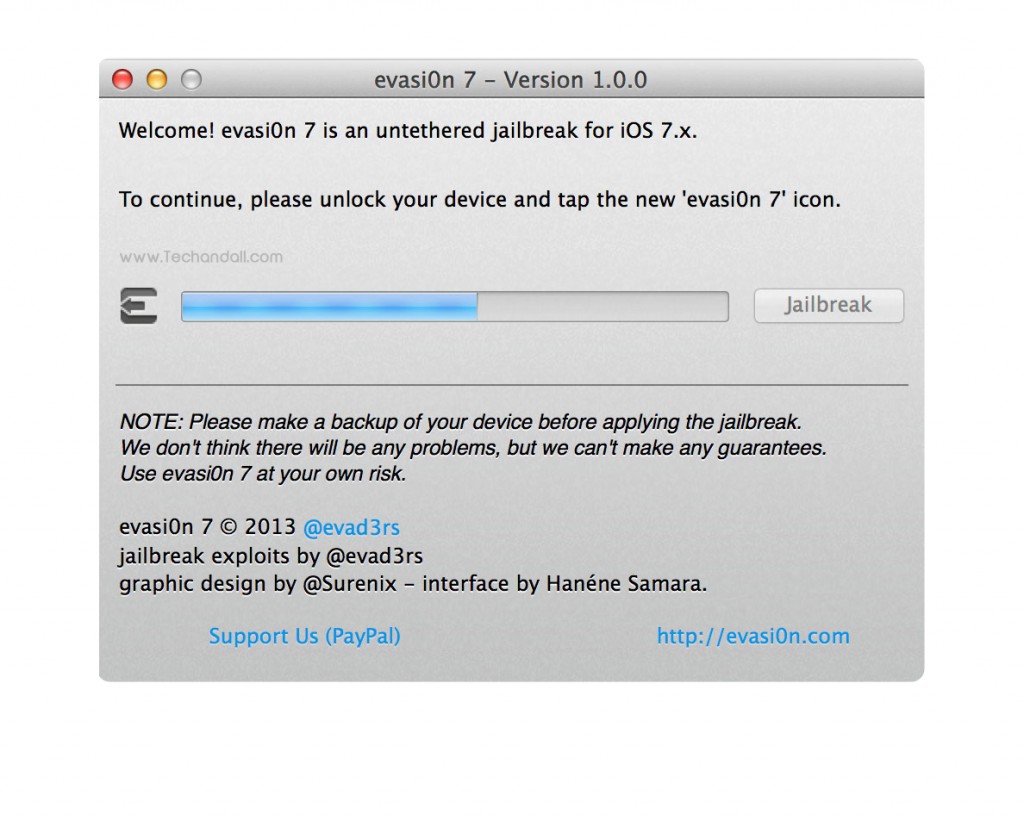

5. After restarting, evasi0n 7 will run through more status messages as it continues to jailbreak your iDevice. Don’t touch anything.
 When it is ready, evasi0n 7 will ask you to unlock your device to continue. Do so, and the device will reboot once again.
More status messages, and then a message saying Done!

Cydia is now on your iDevice! You can press Exit in evasi0n 7 now – your jailbreak is complete. Enjoy!


No comments:
Post a Comment